Is the Email (or Link) I Received Secure?
Last updated: September 17, 2026
We understand your concerns about transitioning your giving to a new platform. At Overflow, your security is our top priority, and we’re committed to making sure you feel confident every step of the way.
Skip to Section:
Secure HTTPS Connection | Link Tracking | Why Did I Receive A Migration Email?
Secure HTTPS Connection
After your nonprofit launches with Overflow, you may start receiving emails that include a secure link beginning with HTTPS. These emails may help you transfer your recurring gift to the new platform or confirm a donation you’ve made. The links are safe to click and are used to securely connect you to our platform. ⚡️

- 🔒 If the link looks different, you can manually adjust the URL to begin with https:// to access a secure page.
- 🧹 We also recommend clearing your browser’s cache. Sometimes cached data can cause a browser to incorrectly flag a secure site as “not secure.”
- You can find step-by-step instructions for your browser here.
- After clearing your cache, refresh the page and try clicking the link again.
Link Tracking
The links in our emails may briefly redirect through a tool we use to confirm inbox delivery, which can appear as http://email.mg.overflow.co.
- ✅ This is a standard practice used by many email services (including ours through Mailgun).
- ⚠️ Some browsers may flag this type of redirect with a caution message, especially if the link looks unfamiliar or if the browser hasn't fully authenticated it yet.
Security Messages
- You might see a message, such as “Security Certificate Does Not Match” or "email.mg.overflow.co doesn't support a secure connection." This is expected and nothing to worry about. 🛡️
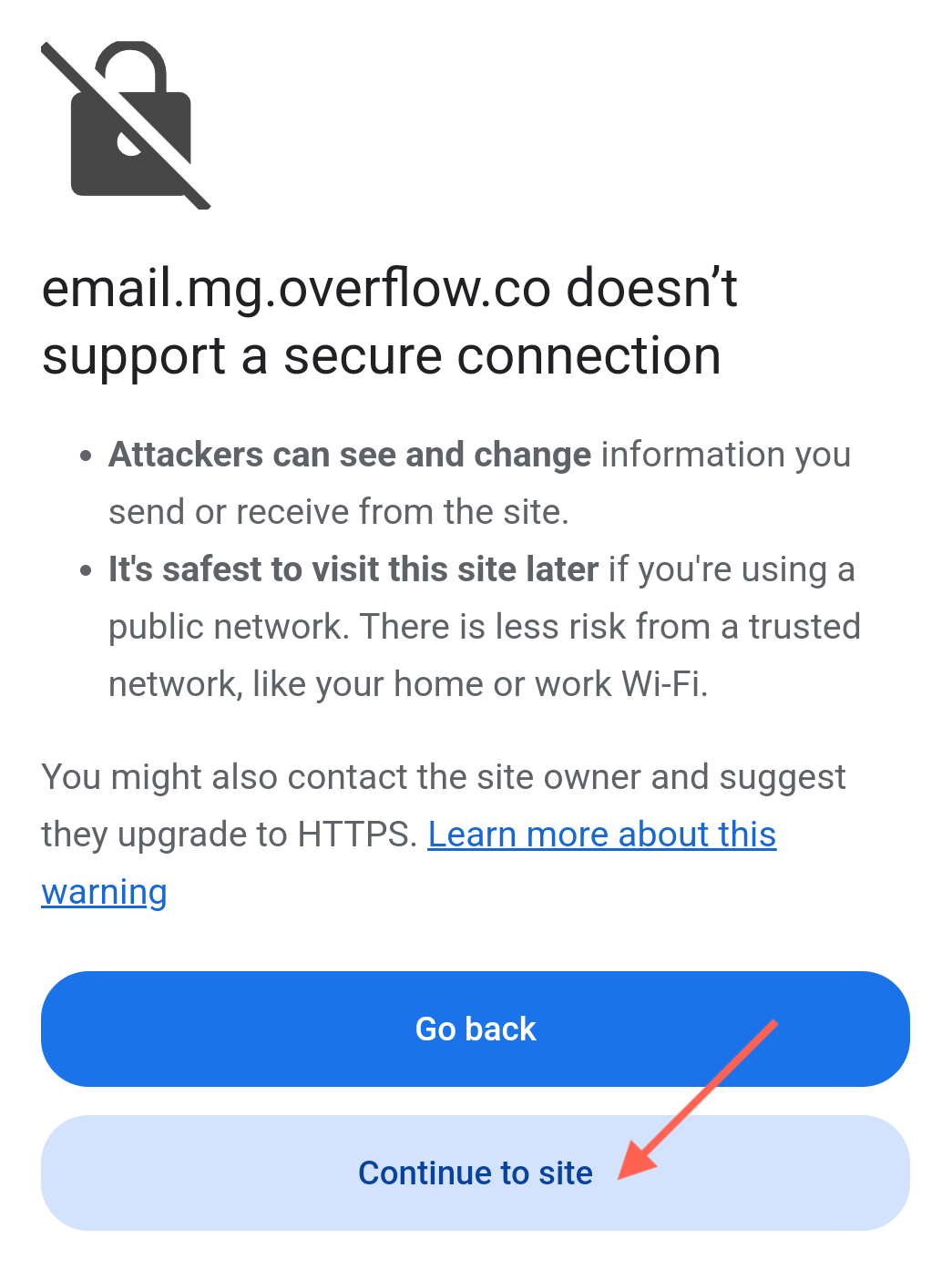
- 🖥️ As long as the final page begins with https:// and displays your nonprofit’s name, you can continue with confidence!

Why Did I Receive A Migration Email?
If you had a recurring gift through your organization’s previous giving platform, you'll likely receive an email with the subject line: “Take Action Today: Maintain Your Recurring Giving to .” 📧
- 📋 This email will include all the details to smoothly migrate your recurring gift.
- 👉🏽 It will also provide instructions for canceling your recurring gift directly through your nonprofit’s previous giving platform.
Prefer to Go Directly to the Donation Page?
You’re more than welcome to set up your recurring gift directly through your nonprofit’s Overflow donation page. Just keep in mind that if you choose this route, you’ll need to manually enter your donation details. ✍🏽